
If you’re not getting much organic traffic on your food blog, you may consider launching an ad campaign. However, this can be an expensive way to market your content. Social media platforms like Pinterest offer a more cost-effective option, but you might not know how to get started.
Fortunately, you can easily learn how to use Pinterest to grow your food blog. Simply adding social share buttons and promoting your business account could be the key to finding the right audience for your recipes.
In this post, we’ll explain why you might want to market your recipes on Pinterest. Then, we’ll show you how to use Pinterest to grow your food blog. Let’s begin!
The Benefits of Marketing Recipes on Pinterest
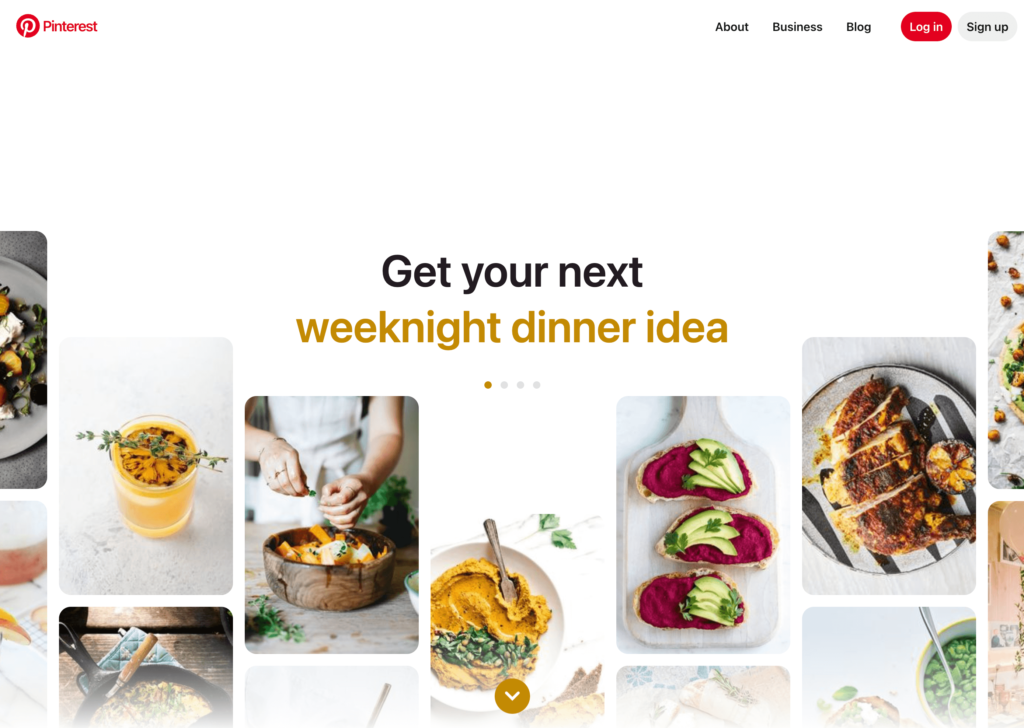
Pinterest advertises itself as a search engine for everything from home decor to daily outfit inspiration. As of 2022, there were about 445 million people actively using this social platform, making it an effective place to find an audience:
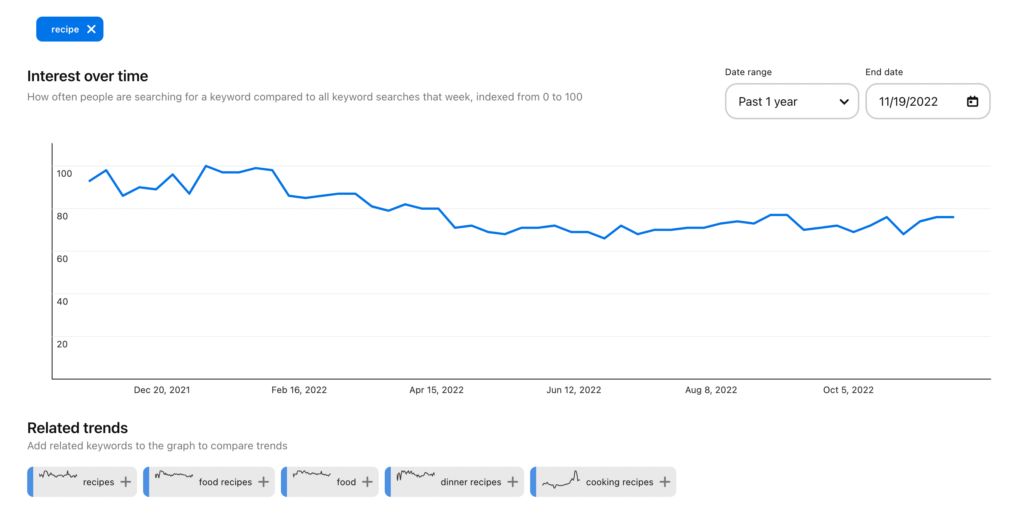
Often, food-related topics have a high level of interest on Pinterest. Over time, users consistently search for new recipes:
As a food blogger, you can start advertising your recipes on Pinterest. Since many users are looking for new cooking ideas, it can be a great place to grow your following.
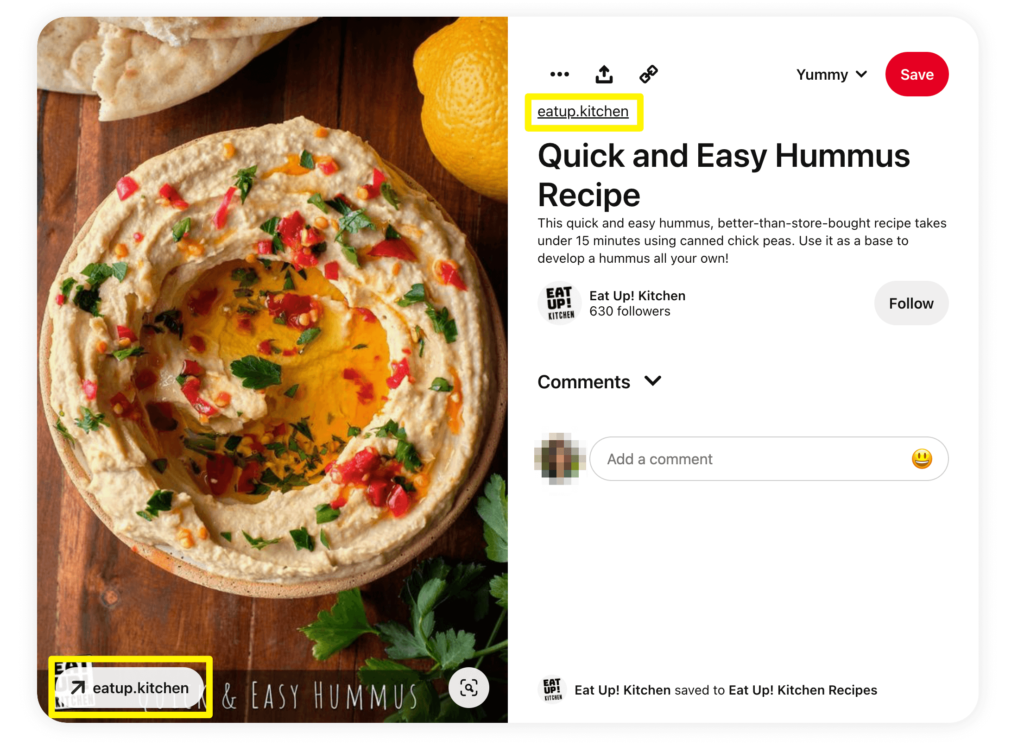
With other social media platforms like Instagram, you won’t be able to promote links directly on posts. However, each pin can be attached to an external link. This makes it easy for you to funnel visitors from Pinterest to your food blog:
Plus, there are many ways for users to discover your content. They might browse their home feeds or search for your specific food niche. Pinterest also groups related pins to help users find what they’re looking for:
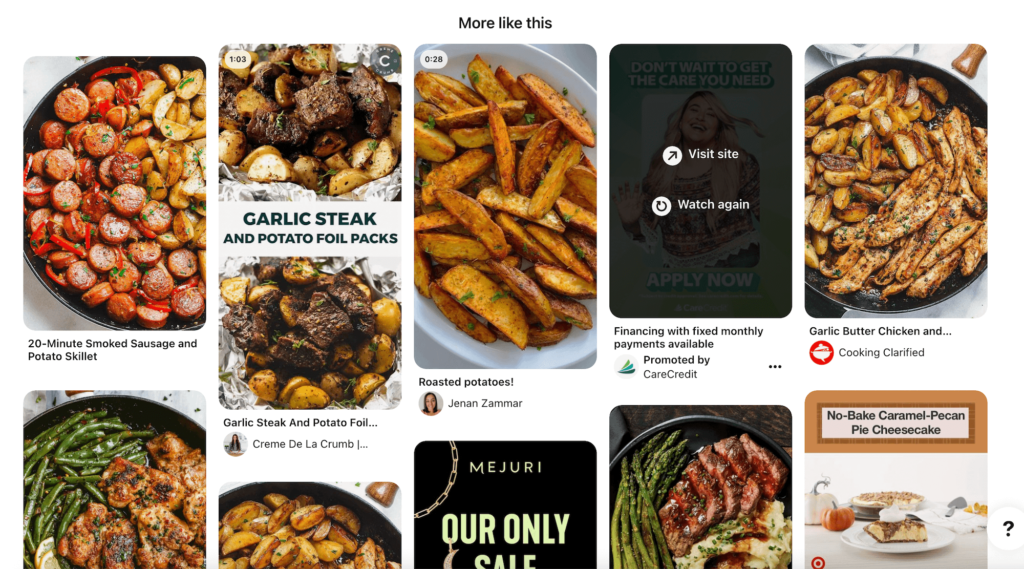
Ultimately, Pinterest can be an effective platform for beginner food bloggers. If you want to expand your audience, you can start creating custom pins or enabling social sharing on your website. This way, more people can find your custom recipes.
How to Use Pinterest to Grow Your Food Blog (2 Methods)
Now that you know the benefits of marketing recipes on Pinterest, let’s discuss how to get started!
1. Customize Your Recipe Pins
After visitors come across your food blog, they may want to share one of your recipes on Pinterest. By sharing it to their personal profiles, users can save the recipe and make it at a later time.
Like any social media platform, Pinterest has its own way of displaying content. Each pin has a featured image, title, and description:
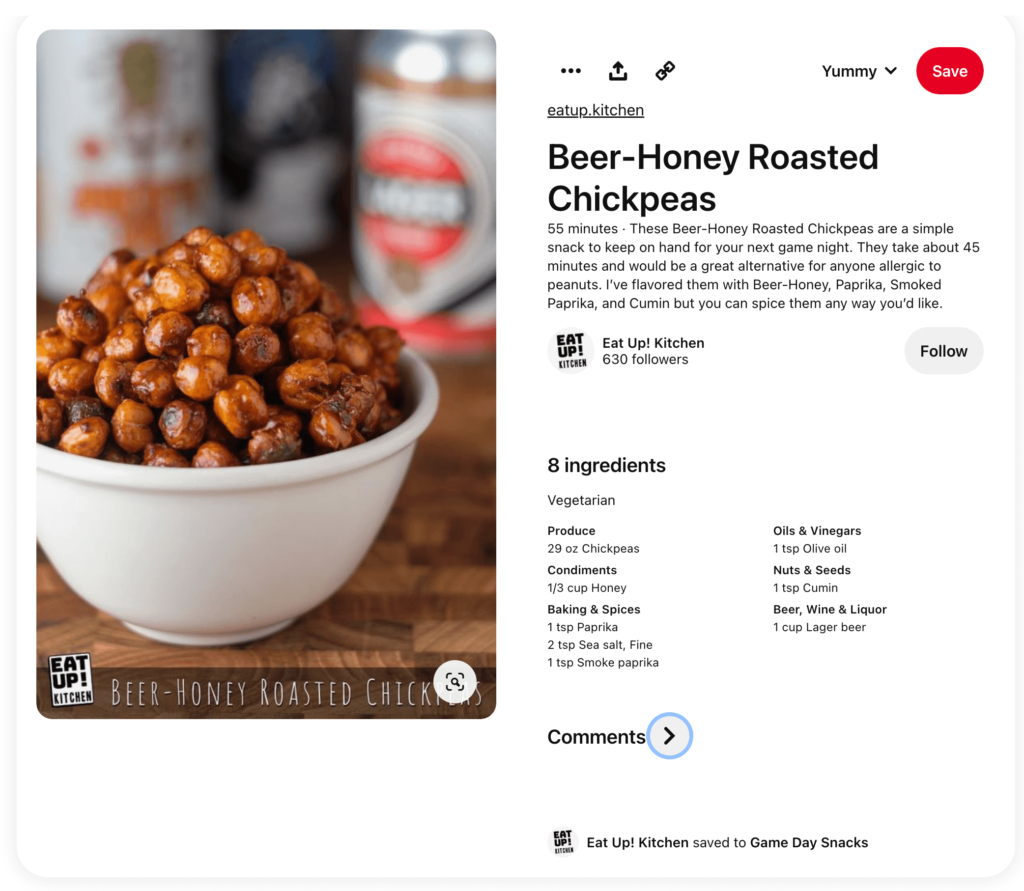
When your content is shared, you’ll want these details to be attractive to new users. This can increase the number of click-throughs to your website.
Using Recipe Card Blocks, you can easily control the way your recipe is shared. Our recipe plugin enables you to set custom Pinterest images and descriptions to make your content more appealing:
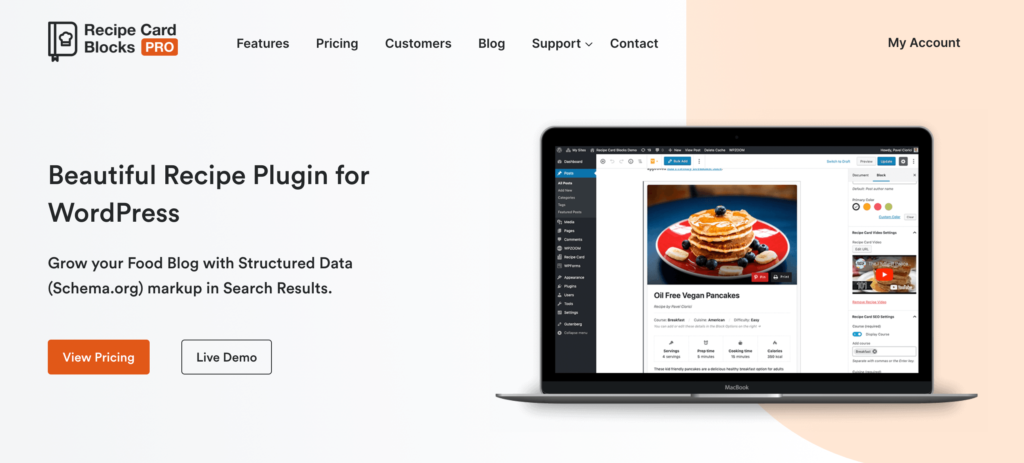
First, install and activate Recipe Card Blocks. Then, go to Recipe Cards → Settings → Miscellaneous and scroll down to the Pinterest section:
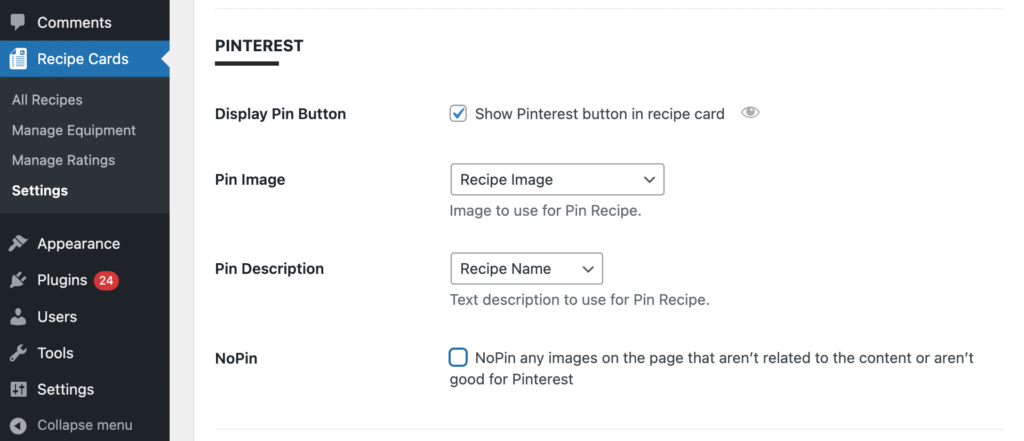
With either the premium or free version, you can check the box next to Display Pin Button. This adds the Pin button to each of your posts so that users can quickly share it:
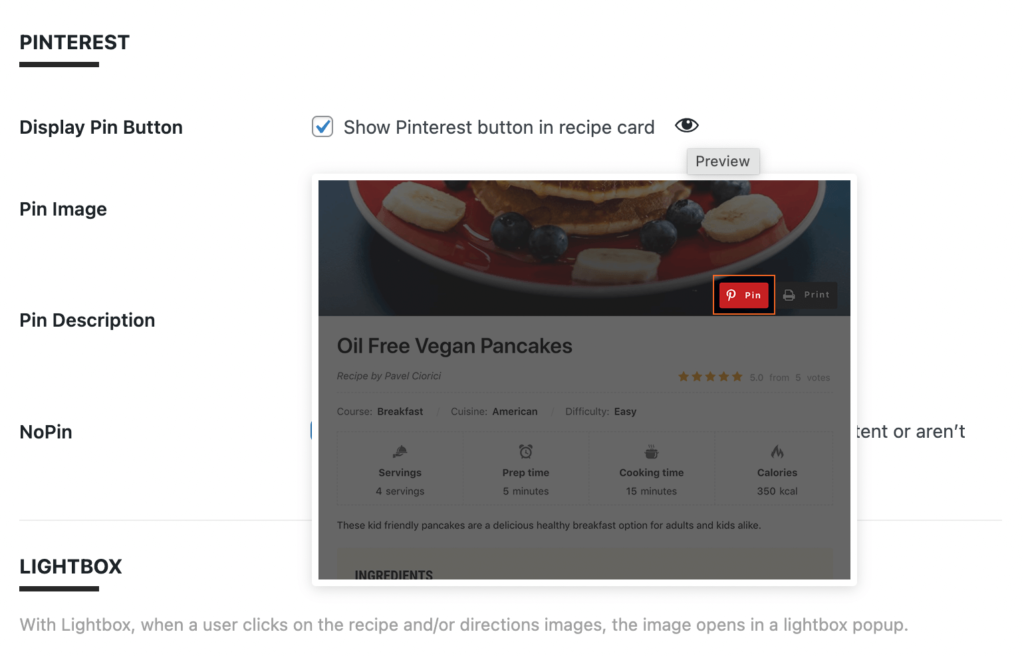
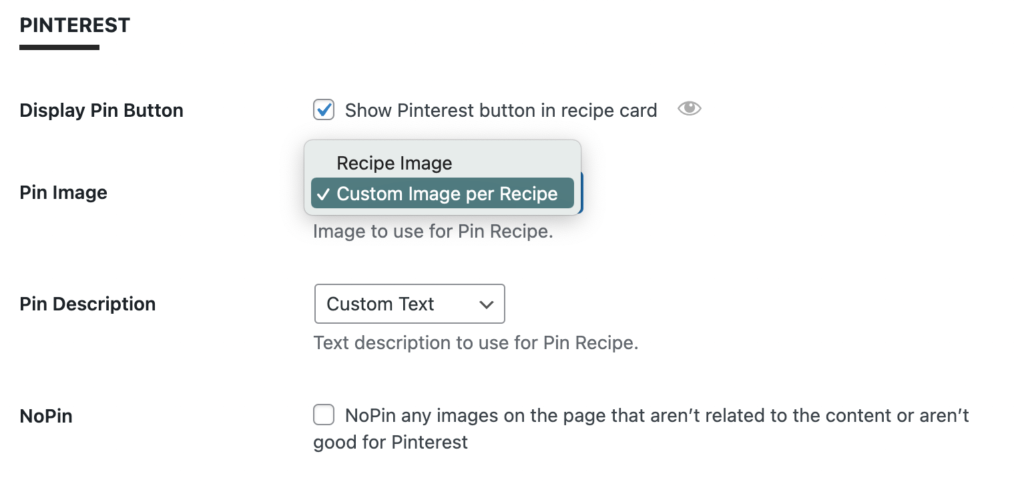
The pin will automatically use your recipe’s featured image. However, Recipe Cards Pro will enable you to select custom images. Similarly, the pin description can be custom text or the recipe summary:
After you save these changes, open a recipe. Under Recipe Card Settings, add your custom Pinterest image and description:
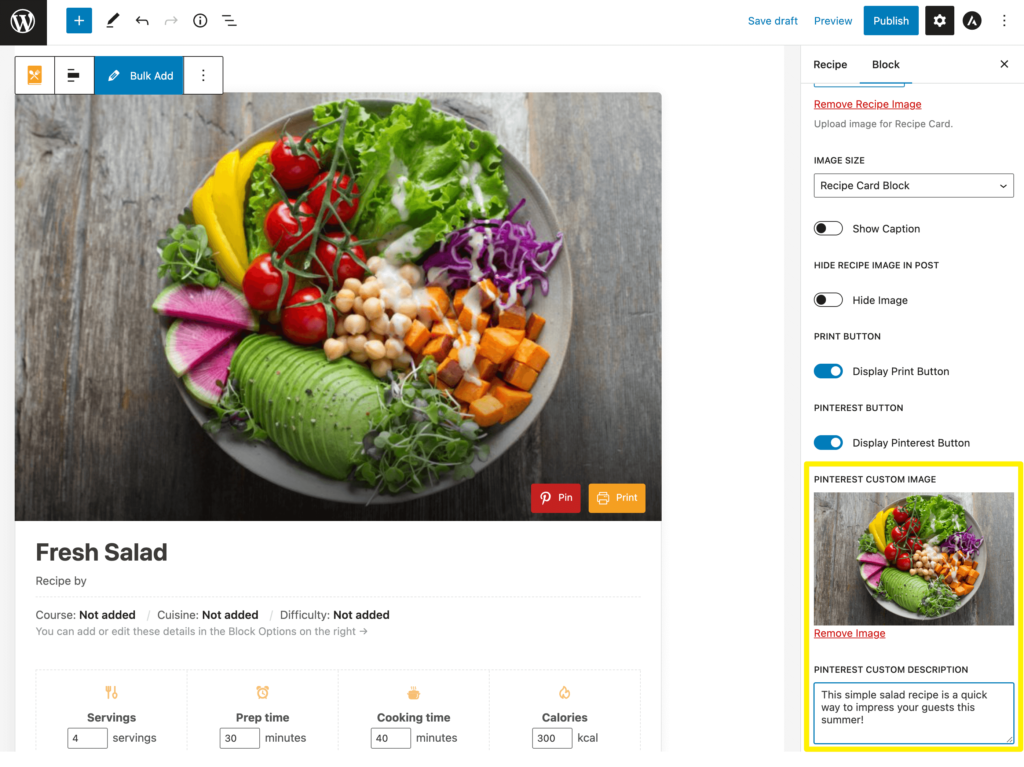
Keep in mind that Pinterest recommends a 2:3 image aspect ratio. The titles can be up to 100 characters, while descriptions are 500 characters. When you follow these rules, Pinterest users will be more likely to visit your food blog!
2. Promote Your Business Account
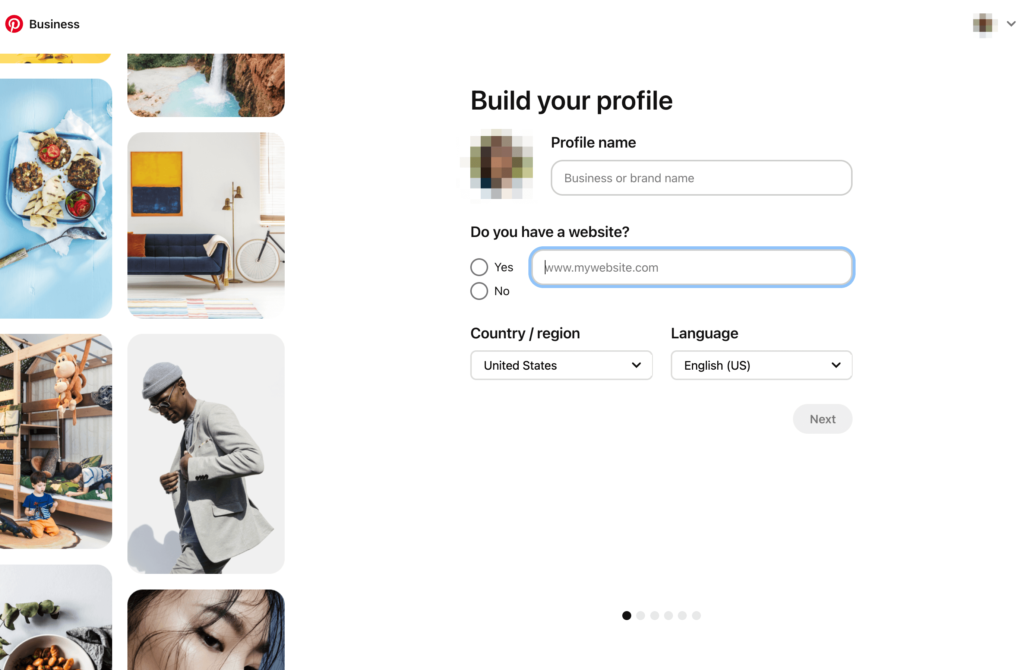
To consistently grow your food blog, consider creating a Pinterest business account. Rather than relying on visitors to share your pins, you can build pins that promote your content. To get started, add your blog’s URL to your business profile:
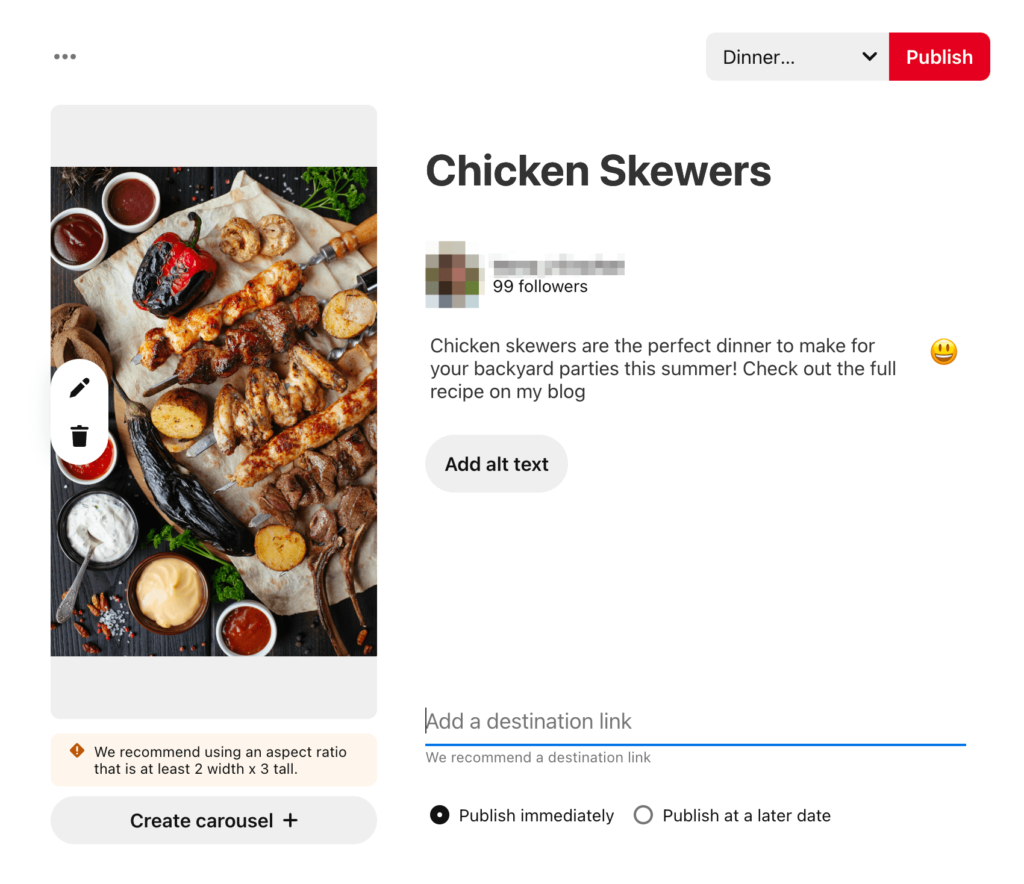
Once you set up your account, start creating your pins! Be sure to add an image, title, description, and link to your blog. When you’re ready, you can publish the pin immediately or schedule it:
Now you can use your blog posts to promote your Pinterest account. This can help establish your brand awareness and increase your follower count.
Navigate to Recipe Cards → Settings → Appearance. Here, you’ll see options to include a Pinterest call to action (CTA):
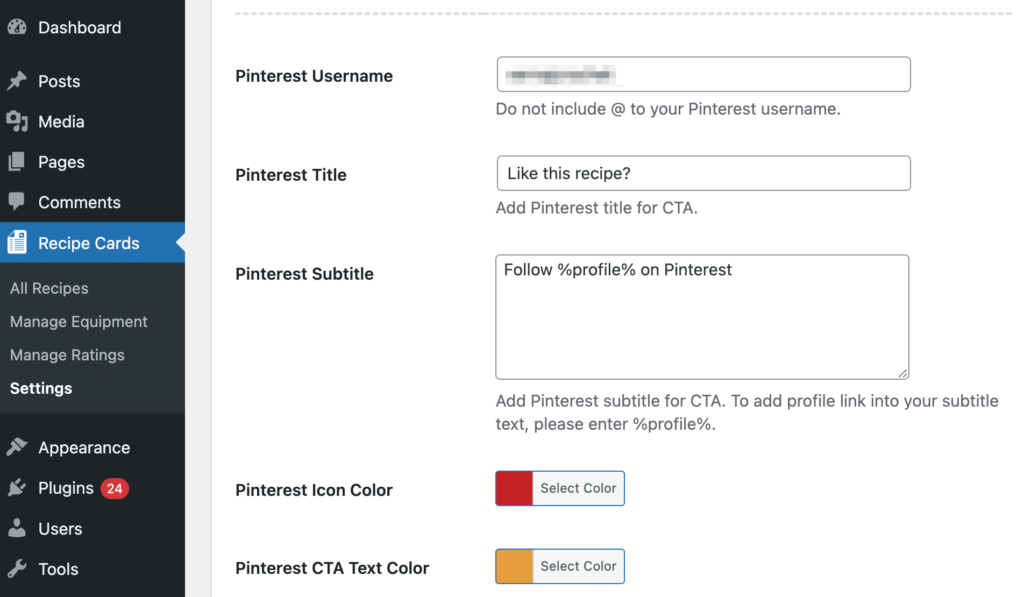
At the top, add your Pinterest Username. Next, you can customize the Pinterest Title and Subtitle, which will be your call to action.
For example, you may want your followers to share when they recreate your recipes. To encourage this user-generated content, you can ask users to tag you in their posts:
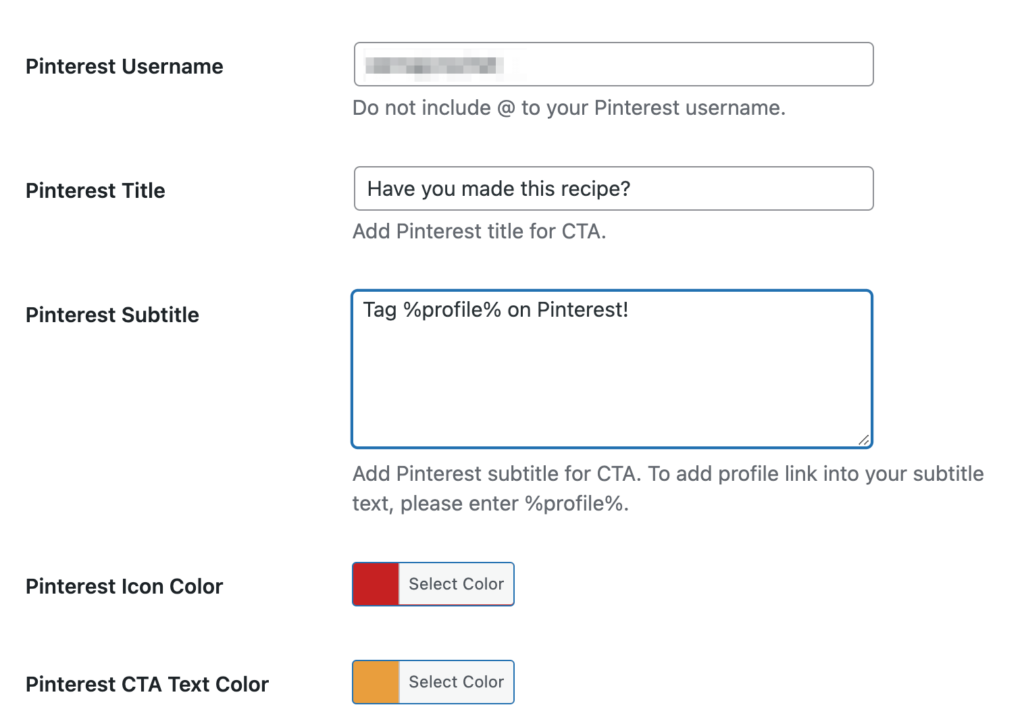
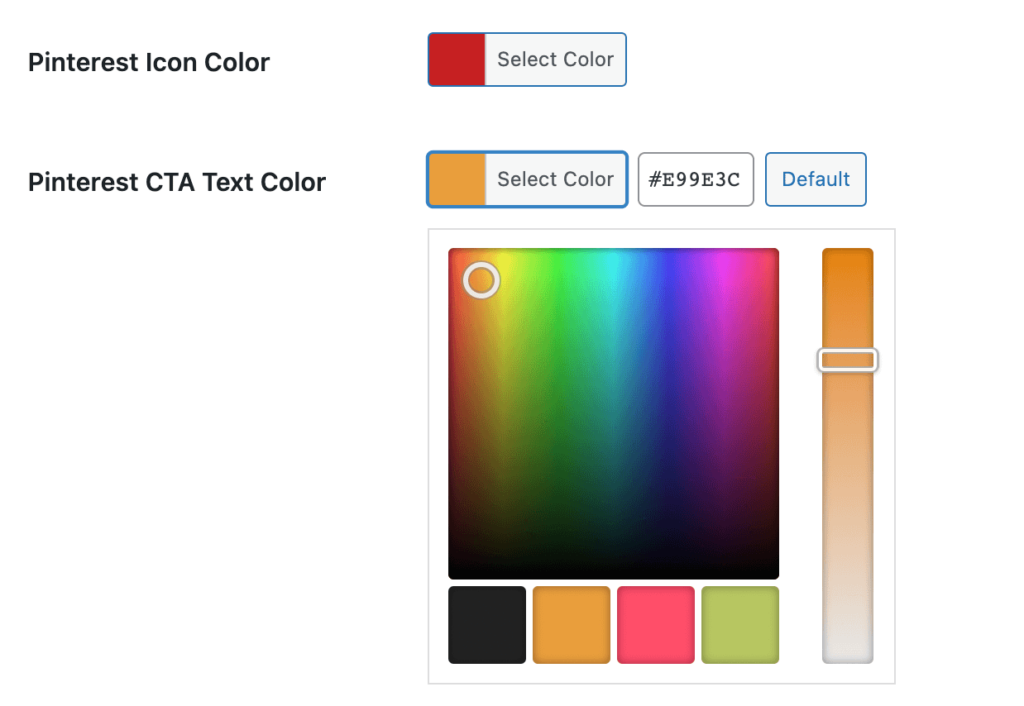
Lastly, select a color scheme for the social banner. It’s best to keep the Pinterest icon red since this is the branding for the social platform. However, you can change the text color using the color picker:
After you save these settings, your recipes will have a new CTA! This will direct users to perform a specific action, like following or tagging your business account:
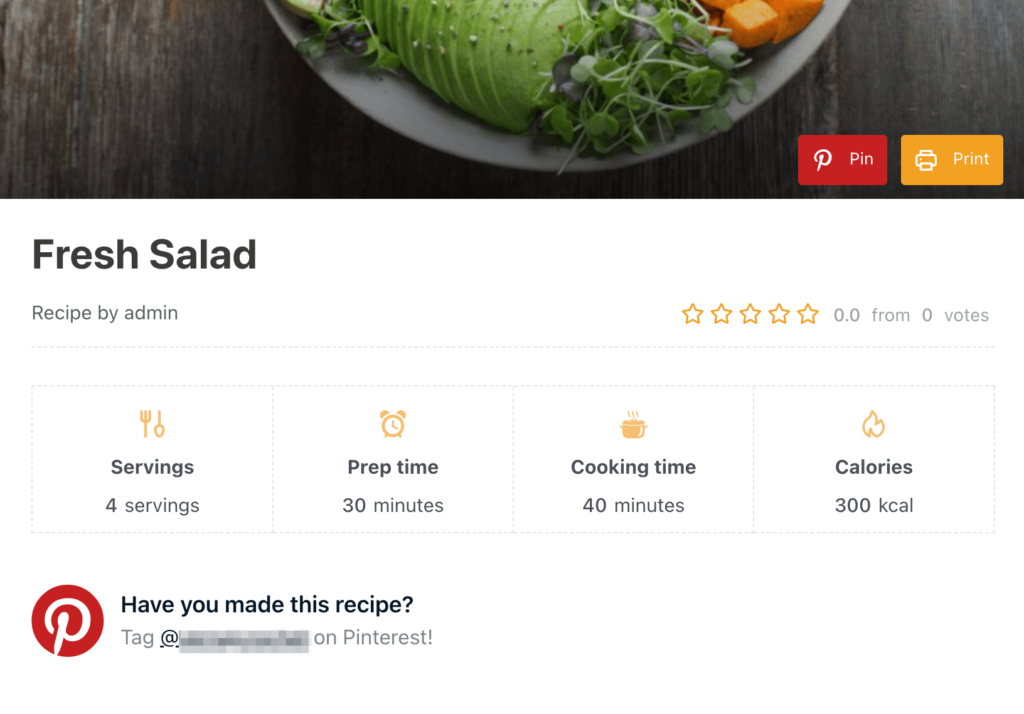
Once you have this feature, more users can share your recipes on their personal Pinterest pages. This will widen your audience to more followers and establish your blog as a trusted source. When other users see that your recipe is easy to make, they can visit your website and try it themselves.
Conclusion
Since food-related topics regularly trend on Pinterest, it can be an effective platform to market your food blog. By creating custom recipe pins with Recipe Card Blocks, you can entice these Pinterest users to visit your website. Alternatively, promoting your Pinterest account in blog posts can lead to more user-generated content and increased engagement.
To review, here’s how you can use Pinterest to grow your food blog:
- Customize your recipe pins.
- Promote your business account.
Do you have any questions about using Pinterest to market your recipes? Ask us in the comments below!
And by the way, let’s connect on Pinterest: @recipecard

